Frequently asked questions
Is there a free trial?
Yes. New MSPs sign up at app.msp-ops.ai and land in a time-bound trial automatically — no credit card needed up front. The trial gives full feature access; near the end of trial, the Billing page prompts you to pick a plan and add a payment method.
How is my data isolated from other MSPs?
Every tenant-scoped database table carries an msp_id foreign key. The API layer derives your MSP identity from your authenticated session and applies the msp_id filter to every customer-data query before it reaches the database — your MSP's queries can only ever return your MSP's rows.
Credentials are encrypted at rest using Fernet symmetric encryption; the encryption key is held in Azure Key Vault separately from the database, and credentials are decrypted only at API-call time.
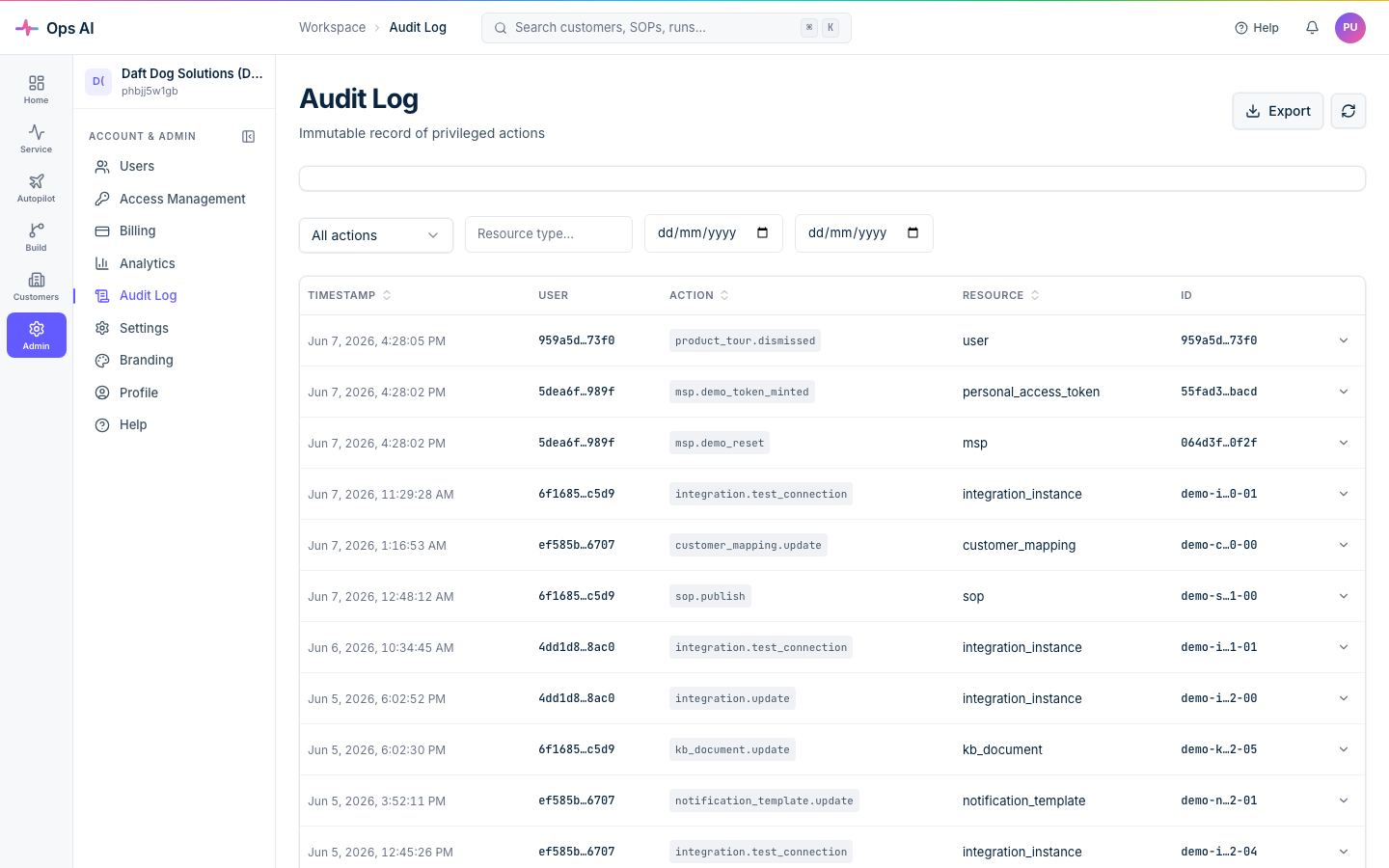
The Audit Log (/app/audit-log) gives you an immutable, exportable record of every privileged action — token mints, approval decisions, routing rule changes, knowledge-base updates, and more.
What happens when I cancel?
Cancellation is a soft-disconnect by default. Your data stays in place, you keep read-only access until the end of the paid period, and you can resubscribe and pick up where you left off.
If you also want us to delete everything we put in your tenants (the partner-side Entra app, GDAP relationships, customer-tenant service principals, service groups), use the Disconnect button in the CSP/GDAP wizard. That's the hard-disconnect path and is irreversible.
Can I run Ops AI on-prem or in my own Azure tenant?
No — Ops AI is a multi-tenant SaaS product hosted by Ops AI. We don't offer a single-tenant or self-hosted deployment option.
What we do offer is per-MSP isolation at the data layer (see above), per-MSP Entra apps for delegated authentication to your tenants, and full audit logs of every action Ops AI takes on your behalf.
Which vendors do you support?
Seven integrations today: Autotask (PSA), Datto RMM, Datto EDR, IT Glue, Pax8, UniFi, and Microsoft 365 (via CSP/GDAP). See Integrations overview for what each one reads and writes.
If you need an integration we don't currently support, email support@msp-ops.ai — vendor priorities are driven by customer demand.
How does Ops AI handle destructive actions?
By default, every write operation routes through an approval gate before executing. The approval surface shows you the exact tool the agent wants to call, the parameters it will pass, and a plain-English preview of the outcome.
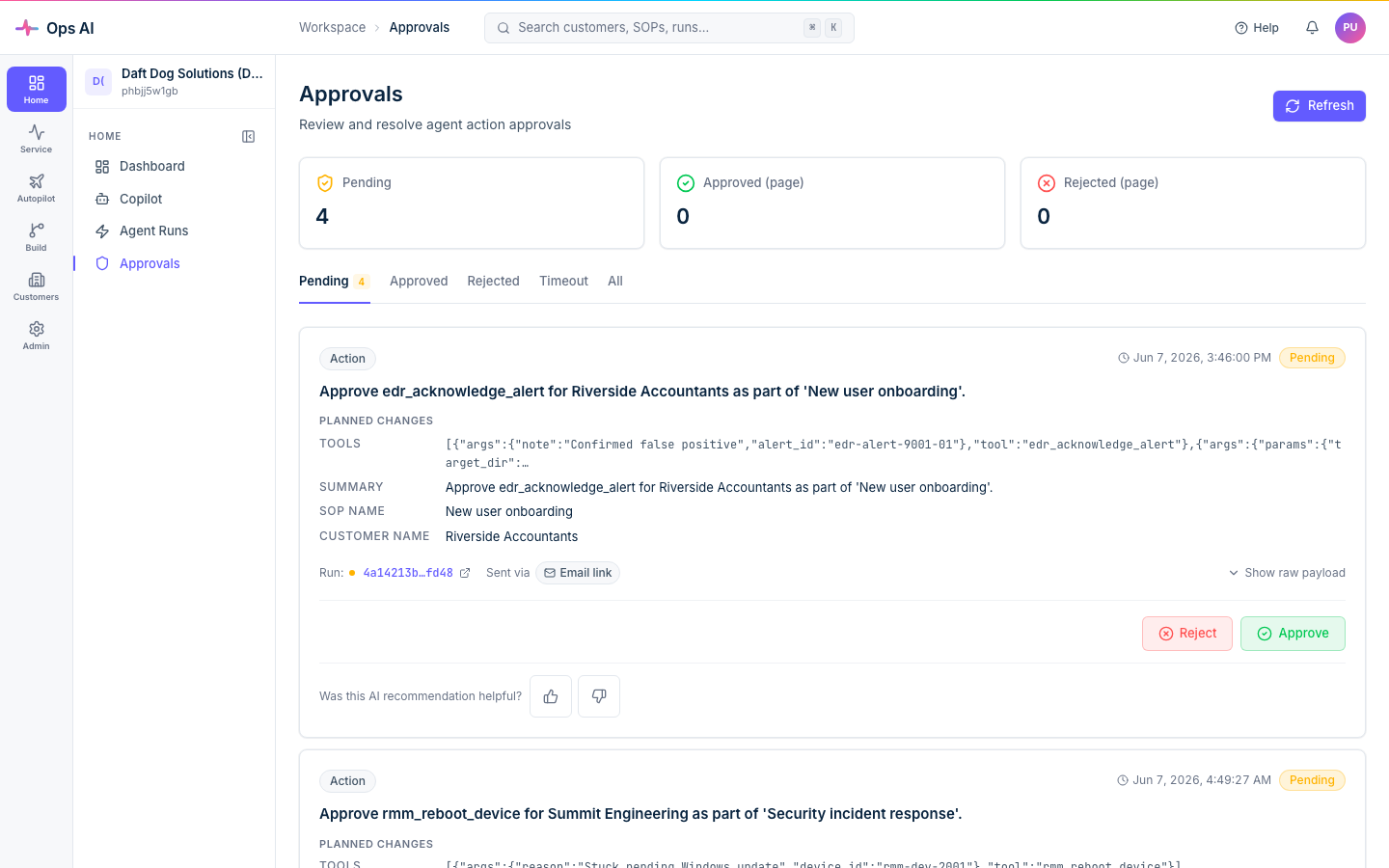
You can configure SOPs to auto-approve low-risk steps (e.g. "add a note to a ticket") while keeping high-risk steps ("disable a user", "isolate a device") gated. Per-MSP AI Config also has an auto-approval confidence threshold — only tool calls at or above the threshold skip the gate.
Is there an API I can call from my own scripts?
Yes — every user can create Personal Access Tokens (PATs) from their Profile page. Use them either as a direct Authorization: Bearer pat_... header or exchange a PAT for an 8-hour session JWT via POST /api/public/auth/token-login.
Each user can have up to 20 active PATs. Treat them like passwords — short expiry, descriptive names, rotated regularly.
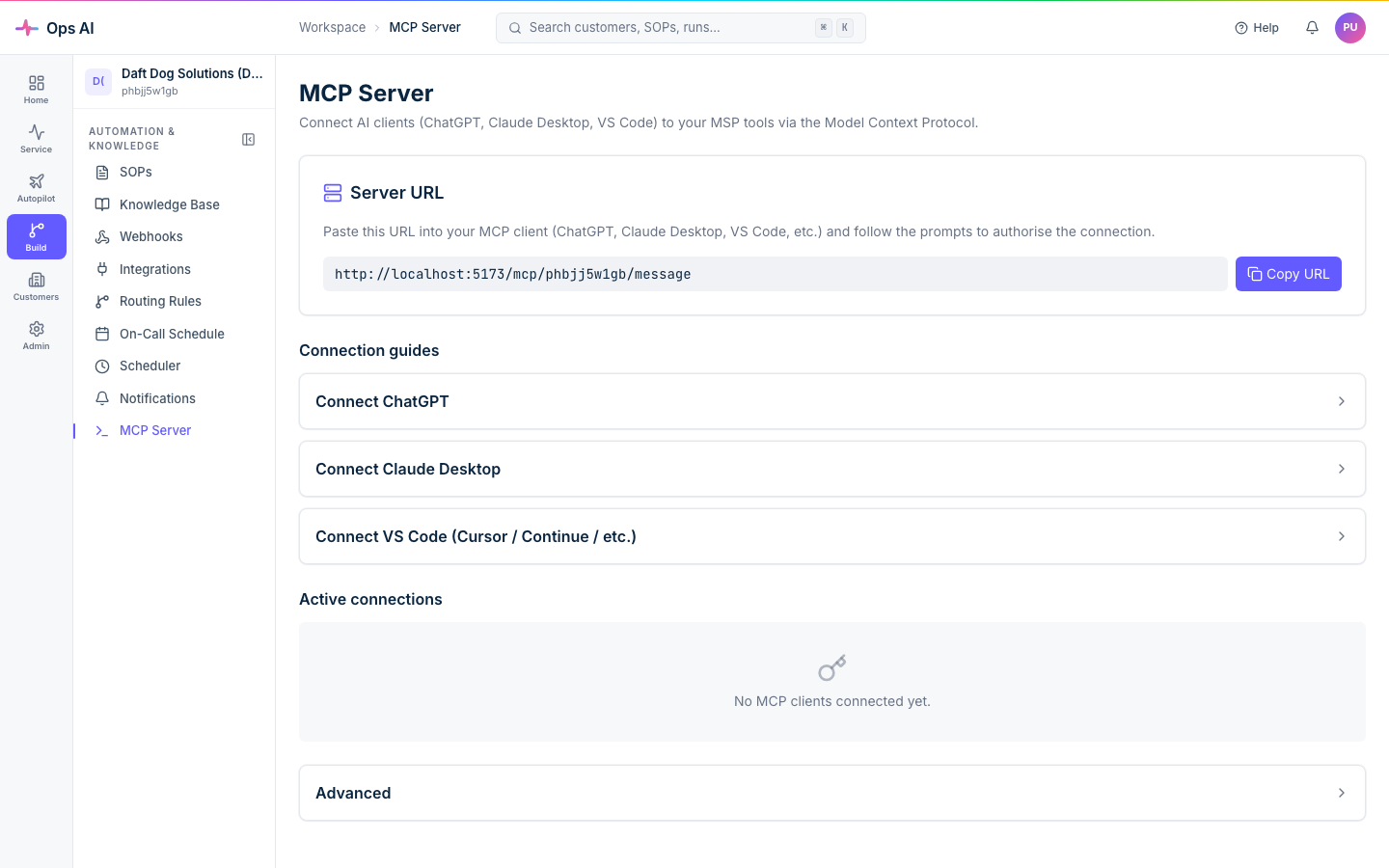
There's also an MCP Server (/app/mcp) that exposes the same vendor tool surface via OAuth 2.1 — connect an external AI assistant (ChatGPT, Claude, custom tools) and it can search tickets, query devices, isolate endpoints, and so on, scoped to your MSP's data.
What's the difference between SOPs and Copilot?
SOPs are deterministic procedures you author once and run automatically when matching events arrive. They're auditable, versioned, scheduled, and can be triggered by webhooks. Think "any time we get a ticket with password reset in the title, run this exact sequence."
Copilot is conversational and ad-hoc. You type "summarise this week's high-severity alerts, grouped by customer" and Copilot interprets, calls the tools, and returns a result. Same underlying tool surface, different ergonomics.
Rule of thumb: if you find yourself running the same Copilot prompt repeatedly, lift it into an SOP.
Can I export my data?
Yes. The Audit Log, Users, SOP Reports, and Customer Reports pages all have CSV export. Customer Reports also exports PDF and has time-limited share-link support if you want to send a customer their own monthly summary.
Up to 10,000 rows per export.
Where can I get help?
- support@msp-ops.ai — email support, 1 working day response.
- Help Center inside the app (Help in the sidebar) mirrors the most-used pages here with in-context search and a contact-us card.
- Customers on the Professional plan have a named Ops AI account manager — your onboarding email has the contact details.