Copilot AI
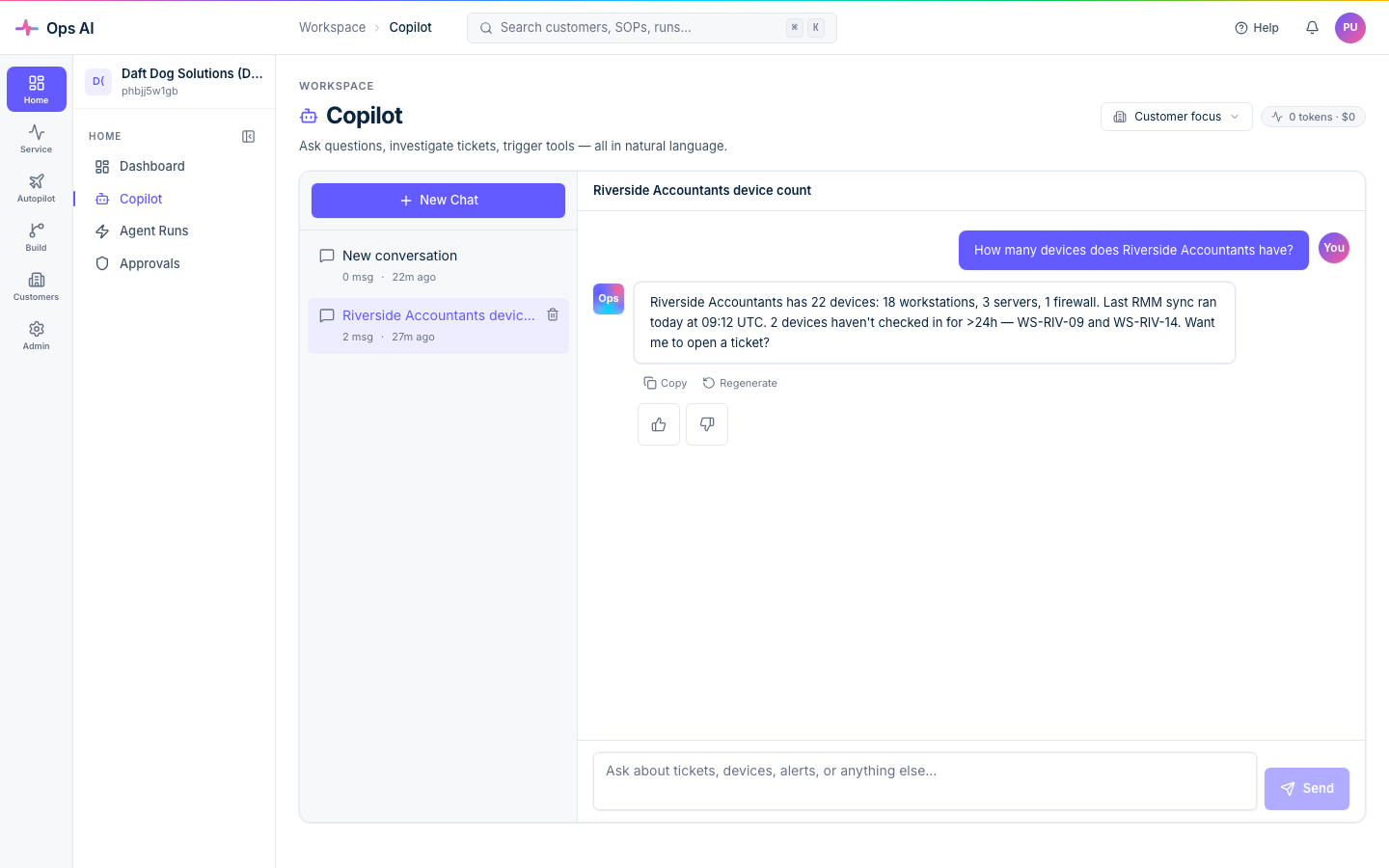
Copilot is the conversational surface for "do this thing, but I want to type it in plain English rather than write a full SOP." Open it at /app/copilot from the sidebar.
What Copilot can do
Anything an MSP tech does by clicking around vendor portals or running ad-hoc API calls. Some practical examples:
- "Show me every Autotask ticket from Acme Corp that's been open more than 7 days."
- "Disable user
jane.doe@example.comin Acme's M365 tenant and remove all license assignments." - "Summarise this week's high-severity Datto RMM alerts across all customers, grouped by site."
- "Create a Pax8 order for one E3 license on Acme's tenant, with my standard markup."
Copilot has access to the same vendor tool surface your SOPs use, so anything callable from an SOP is callable from a Copilot chat. Read-only queries run immediately; write operations route through the same approval gates SOPs use.
Every reply shows which tool calls Copilot made (visible as collapsible blue chips with a green success badge), so you always know how the answer was produced. Click View agent run on any reply to open the full transcript on the Agent Runs page.
Asking good questions
A few patterns that help:
- Name the customer explicitly — "for Acme Corp" beats "for that customer we onboarded yesterday."
- Be specific about the data you want back — "list, with ticket IDs and titles" works better than "show me tickets."
- Reference vendors directly when ambiguity matters — "in Autotask" vs. "in Datto RMM" if both could match.
- Be explicit about destructive intent — "disable
jane.doeand confirm the action with me first" makes the approval path explicit.
Copilot keeps conversation history per thread; you can refer back to "the user we just talked about" within a thread. Set a Customer focus from the top-right dropdown to scope every question in a thread to that customer without naming them every time.
Cost and usage
Every Copilot turn records token usage and estimated cost. You can see per-conversation totals from the chat view header (e.g. 13.0K tokens · $0.04) and per-MSP rollups on Analytics (/app/analytics). Your plan tier determines the rate limit (requests/minute); see Billing.
If a Copilot session ends up doing the same kind of work repeatedly, that's a signal to lift it into an SOP — you get deterministic, auditable, schedulable execution instead of a one-off chat.
Per-MSP AI configuration
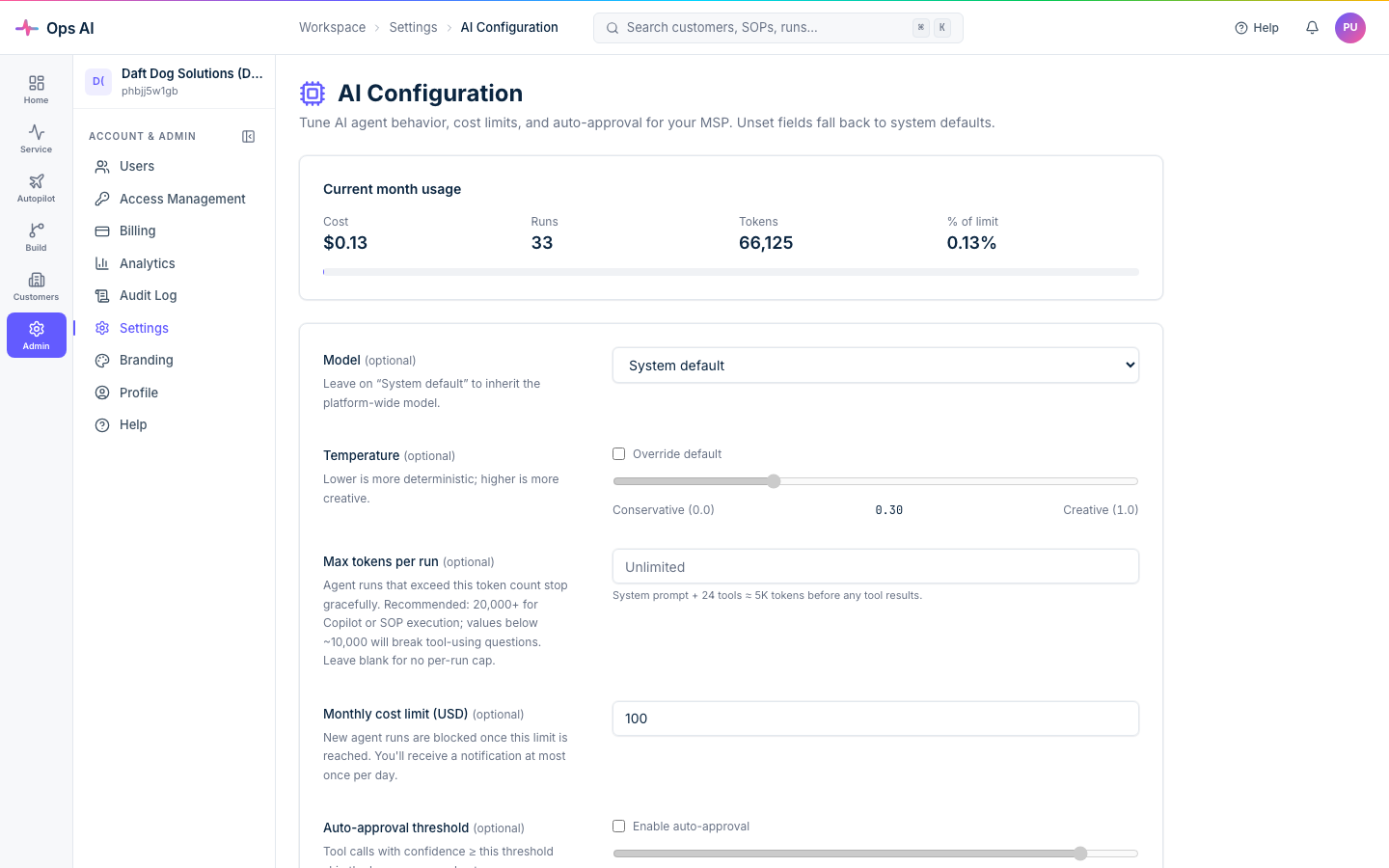
Settings → AI Config (/app/settings/ai-config) lets admins choose the model, set per-MSP context limits, and configure system-prompt overrides. Defaults are sensible for most MSPs; tune only if you have a specific reason.
Recommended starting points:
- Small MSPs on the Starter plan — leave everything on defaults except monthly cost limit (set conservatively) and leave auto-approval disabled so a human reviews every action.
- Larger MSPs with mature SOPs — enable auto-approval at 0.85, raise max tokens per run to 8000, consider disabling agent types you don't use to tighten the blast radius.