Customers & onboarding
Most of what Ops AI does happens on behalf of one of your customers — running a triage SOP against their Autotask ticket, pulling alerts from their Datto RMM tenant, provisioning a user in their Microsoft 365 tenant. So before agents can do useful work, every customer needs to be present in Ops AI and linked to whichever vendors hold their data.
Two onboarding paths
Non-Microsoft customers
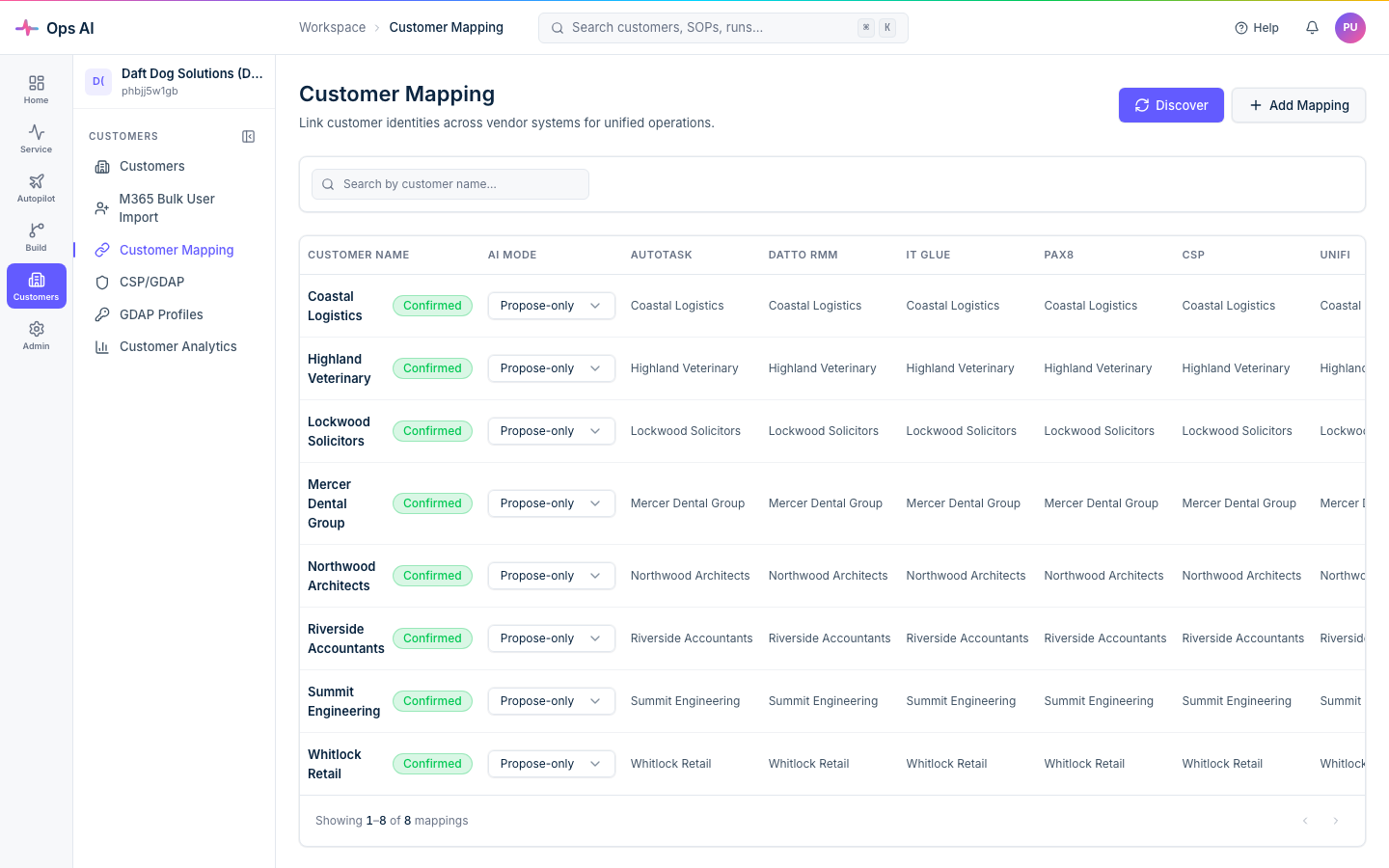
Autotask-only, Datto-only, etc. are onboarded via Customer Mapping (/app/customer-mappings).
Ops AI discovers tenants/companies from your connected PSA + RMM, and you link the records — one Ops AI customer can map to one Autotask company, one Datto site, one IT Glue organisation, and so on. The mapping is many-vendor-to-one-customer.
Microsoft 365 customers
These go through the CSP/GDAP wizard at /app/csp-wizard. Two paths exist:
- Path A — Connect Partner Tenant (automated). You consent to our short-lived bootstrap multi-tenant app, which drives your partner tenant for ~30 seconds: it creates a service group, provisions a long-lived per-MSP Entra app on your side, mints a client secret, creates the GDAP relationship template, then auto-revokes its own service principal. Total time is under a minute and you don't touch the Partner Center portal.
- Path C — Verified manual. A 6-step checklist for partners who'd rather not consent to an automated bootstrap. Each step probes live tenant state to confirm you've done it correctly before letting you advance.
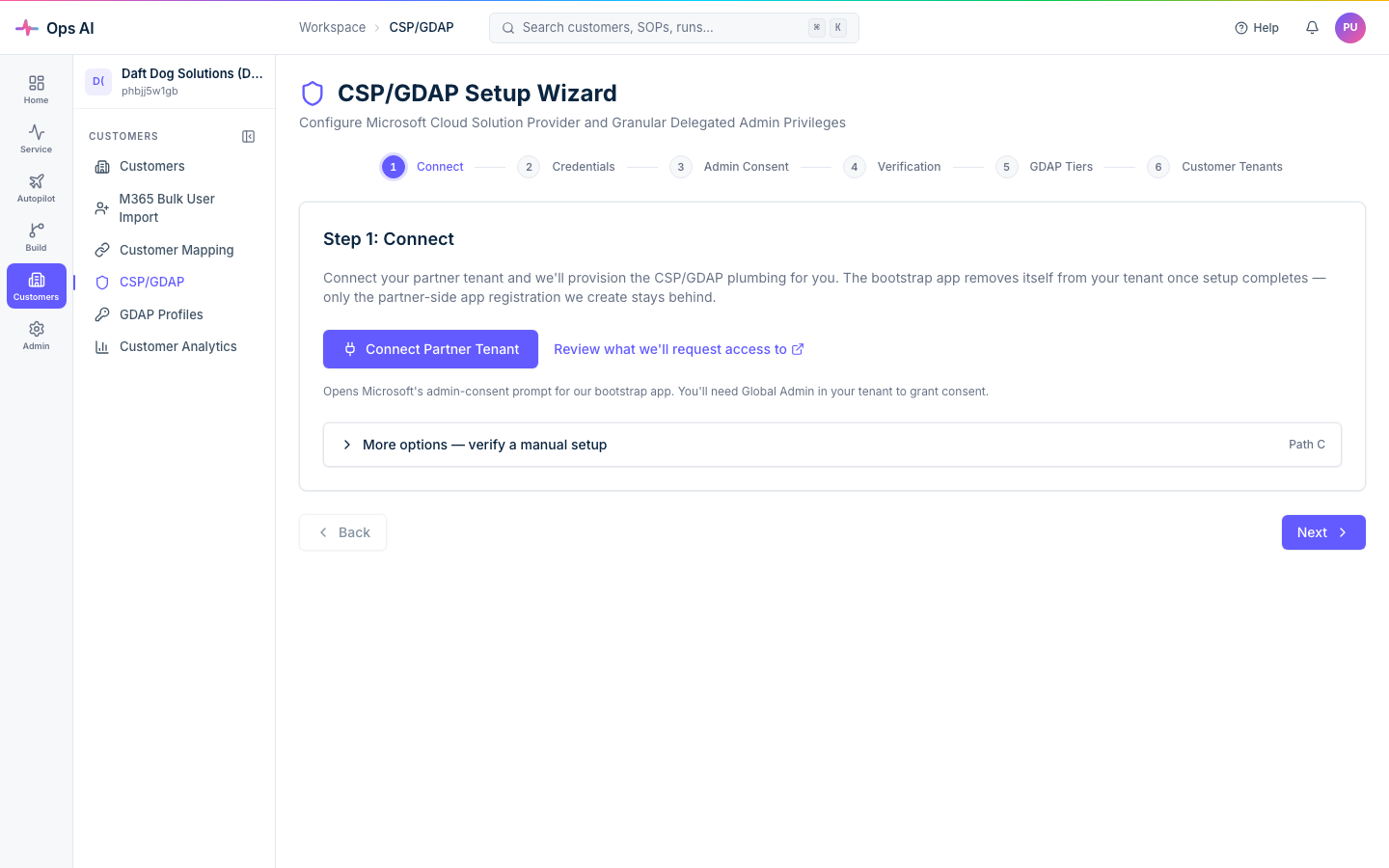
Once connected, the wizard moves to a steady-state "manage" view showing the partner-side app's secret expiry, the GDAP relationship, and a Disconnect button that surgically revokes everything we put in your tenant if you ever leave.
What data we read
Read-only by default. Per-customer we read:
- Autotask — tickets, companies, resources, contracts (PSA reporting + SOP execution).
- Datto RMM — device inventory, alerts, monitor state (alert correlation + automation).
- IT Glue — documentation, configurations, passwords (read-only; never written).
- Microsoft 365 (via CSP/GDAP) — users, groups, mailbox config, license assignments. Lifecycle write tools (create / disable / license user) are gated behind approval flows.
Write operations always run through the approval system unless your SOP is explicitly marked auto-approve for low-risk steps. See Approvals (/app/approvals) for any pending requests.
Tenant status
Each Microsoft 365 customer has one of four statuses on the Customer Tenants page:
| Status | Meaning |
|---|---|
| Discovered | Found in Partner Center but not yet onboarded to Ops AI. |
| Onboarding | GDAP setup is in progress. |
| Active | Fully onboarded with GDAP roles assigned. |
| Error | Something went wrong during onboarding — check the error details. |
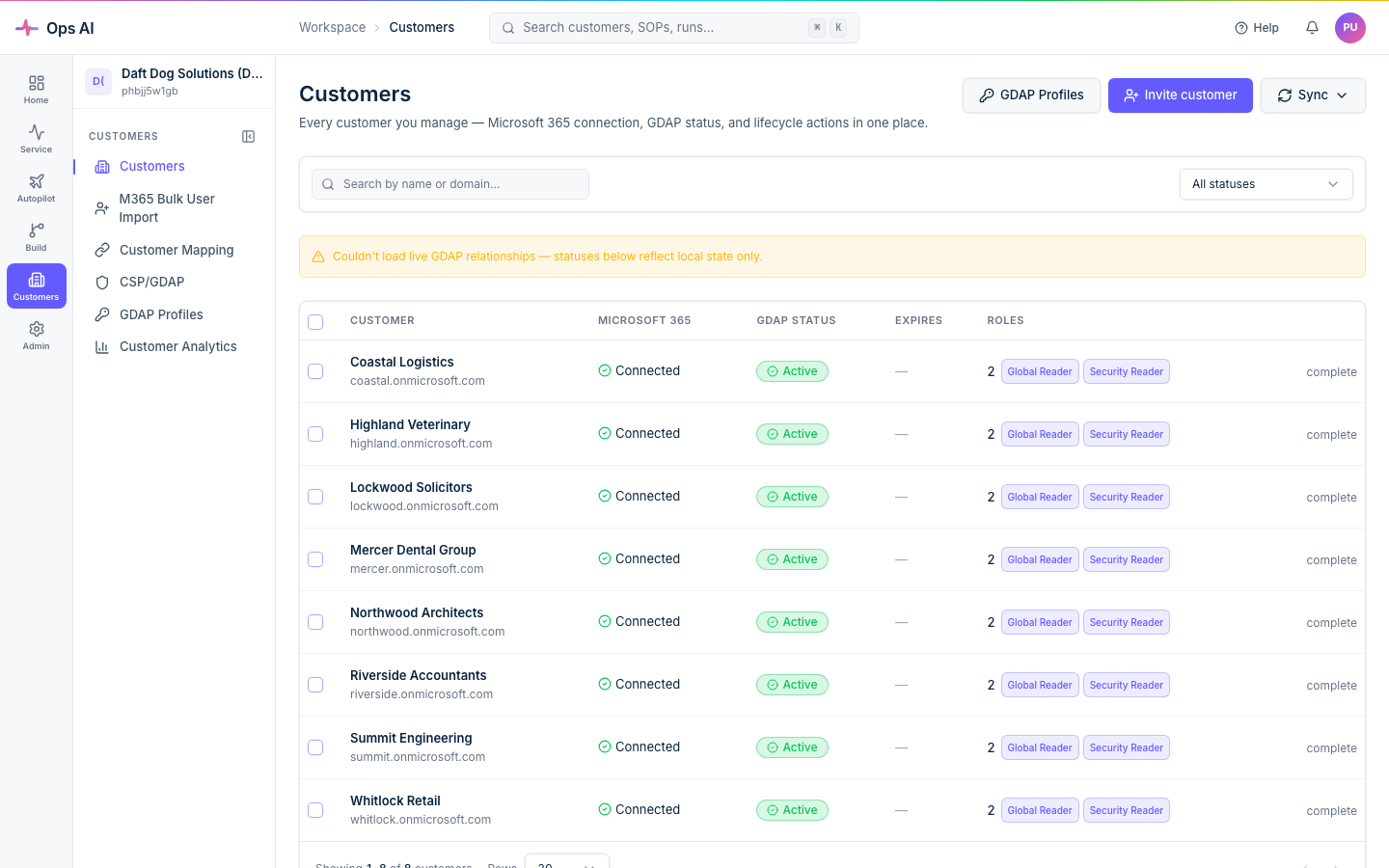
Onboarding is atomic and idempotent — if an active GDAP relationship already exists for the customer in Partner Center, it is reused. Retrying after a transient failure does not create duplicates, and a failed role assignment automatically rolls back the relationship before reporting failure.
Adding teammates
Users (/app/users) shows everyone in your MSP. New users are auto-provisioned the first time they sign in via your Entra SSO — they get the Viewer role by default. Admins can promote to Tech or Admin from the same page.
For Entra-group-based role management see Access Management (/app/access-management).