Settings & branding
This page covers the admin-side configuration surfaces that don't fit neatly into a feature-by-feature breakdown: the Settings hub (which links out to feature-specific config pages) and the Branding controls. For plans, trials, upgrades, and cost visibility, see Billing & subscriptions.
Settings hub
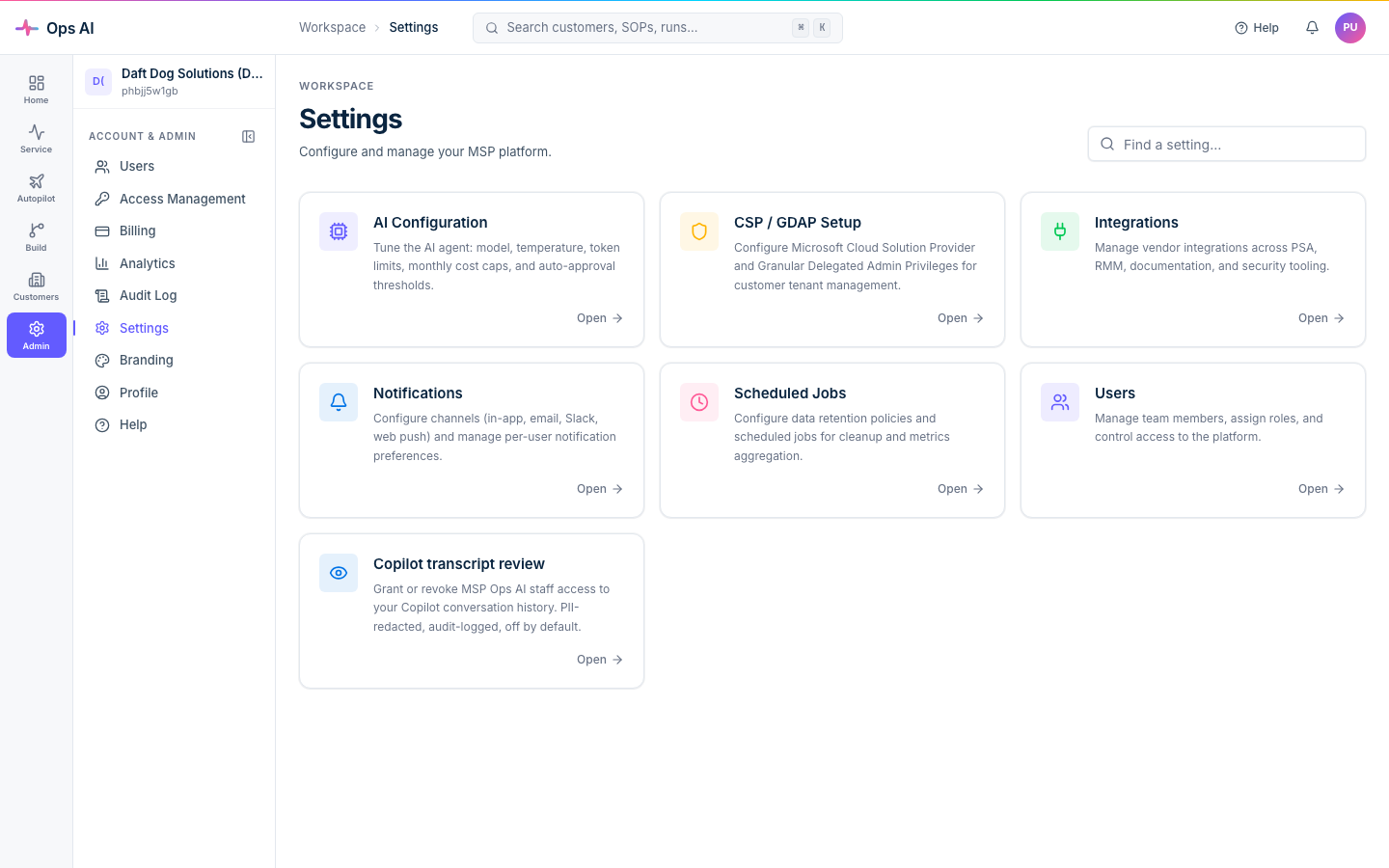
Open Settings (/app/settings). The page is a hub that links to the various configuration areas of the platform — think of it as the "everything-else" navigation page.
| Setting | Description | Where it actually lives |
|---|---|---|
| CSP/GDAP Setup | Configure Microsoft CSP and GDAP relationships | Connect your Partner tenant |
| AI Configuration | Tune model, temperature, cost caps, auto-approval, enabled agent types | Copilot AI |
| Integrations | Connect vendor tools (PSA, RMM, etc.) | Integrations overview |
| Notifications | Teams webhooks, email settings, per-user prefs | Notifications, scheduler & MCP |
| Users | Manage team members + roles | Users, roles & access |
| Branding | Customer-facing branding | See below |
Each card on the Settings page has a brief description and a button straight to the configuration page. You won't normally configure things from the Settings page itself — the cards are signposts.
Branding
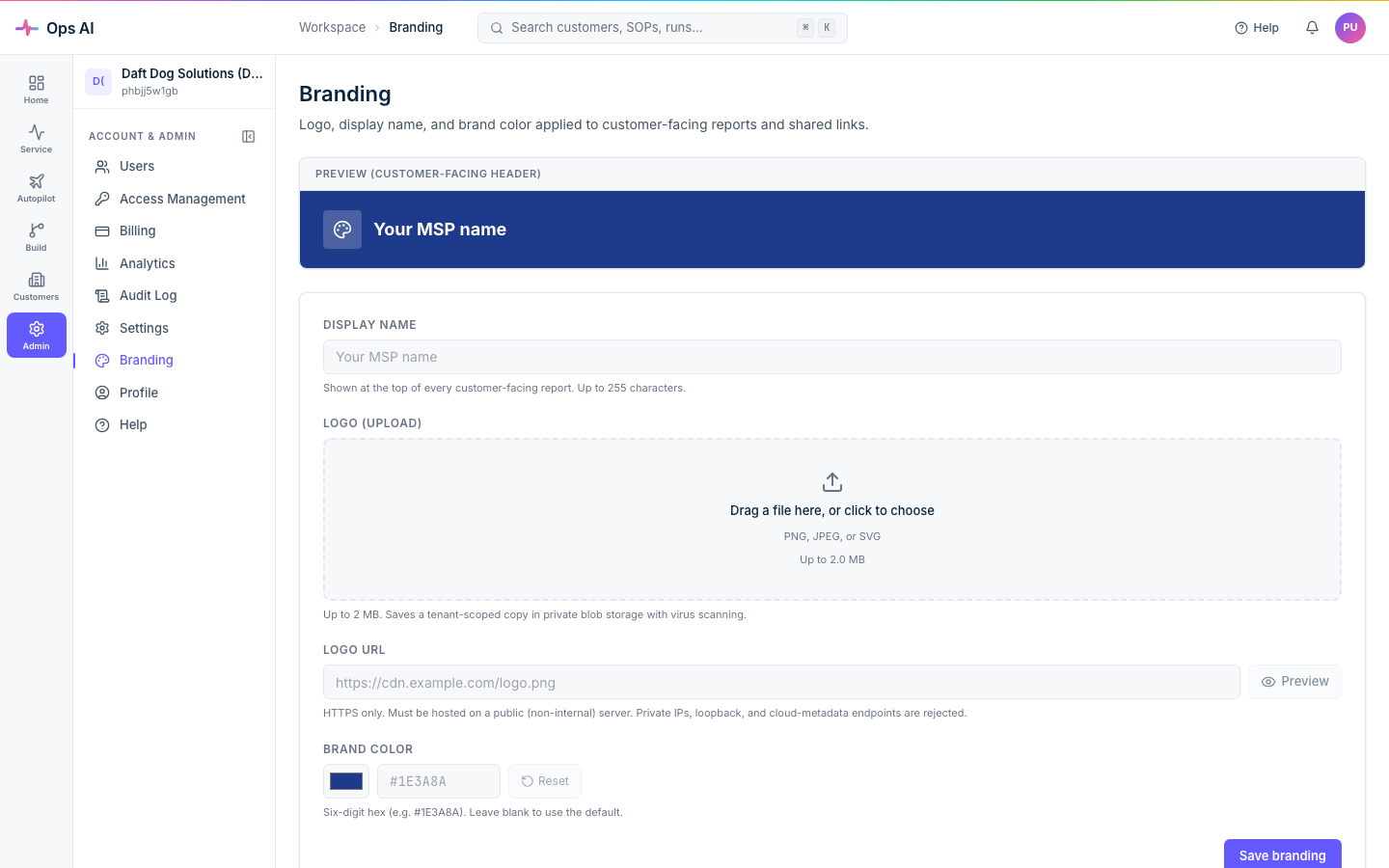
Open Branding (/app/branding) — admin only. Branding controls the visual identity used in customer-facing artefacts: PDF reports, the public share-link pages for SOP Reports and Customer Reports, the email-from name on outbound notifications.
What you can customise
- Logo — upload a square PNG/JPG/SVG. Max 1 MB. Used on PDF report headers and the share-link page header.
- Primary colour — hex code. Used as the accent on report headers + share-link page.
- Display name — your MSP's customer-facing name. Used on emails and share-links (e.g. "Acme Reports — Generated by Ops AI").
- Footer text — short text that appears at the bottom of PDFs and share-links (e.g. legal disclaimer, contact line).
What you can't customise
- The Ops AI app shell itself (sidebar, dashboard, internal pages) — that's the platform UI.
- Email-channel sender display name — controlled by the global SMTP2Go config.
- Per-customer branding — branding is per-MSP, not per-customer.
Save the page; new artefacts pick up the changes immediately. Already-generated PDFs and share-links retain the branding that was active when they were created.
Where to look when something goes wrong
- Settings page link broken — the underlying feature page may have moved. Try the sidebar; the underlying page is always reachable directly.
- Branded artefact looks unbranded — check Branding; an empty logo + default colour will produce the platform-default look. Saved branding applies to new artefacts; regenerate if you want existing ones to pick up the change.
- Plan or billing question — see Billing & subscriptions for trials, upgrades, cancellation, and the soft-disconnect vs hard-disconnect distinction.