Access Management
Access Management (/app/access-management) controls which Entra security groups map to which Ops AI app roles. When a team member signs in via SSO, Ops AI checks their Entra group memberships and assigns the highest matching role.
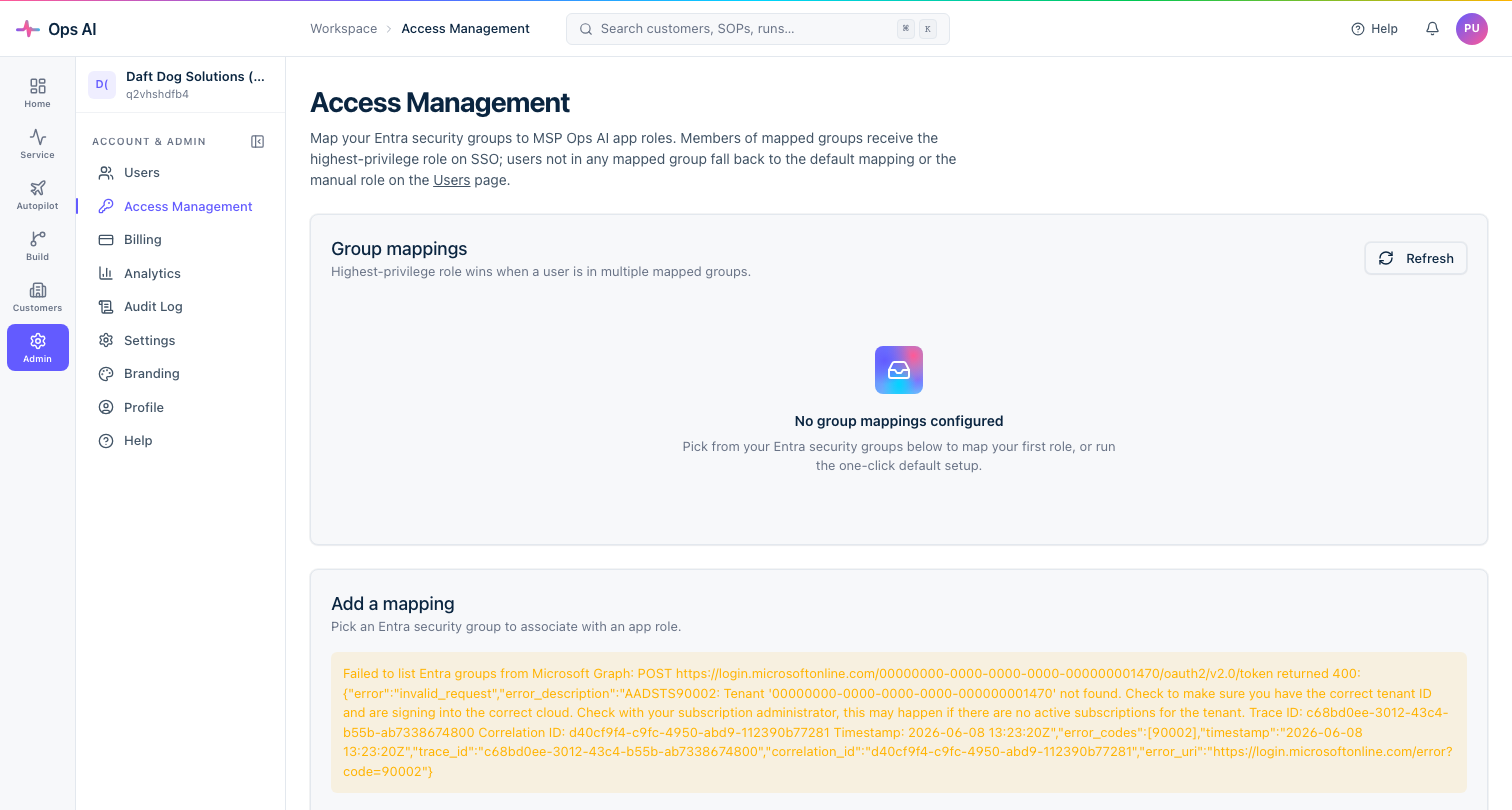
This page controls who in your MSP can access Ops AI and at what permission level. It is entirely separate from GDAP Profiles, which control what admin access you have in customer tenants.
App roles
| Role | Permissions |
|---|---|
| Owner | Full access including billing, off-boarding, and destructive operations. |
| Admin | Manages integrations, GDAP, SOPs, users, notifications, and approves agent actions. |
| Tech | Creates/edits SOPs, manages routing, approves actions, sets own notifications. |
| Viewer | Read-only — dashboards, agent runs, SOPs, reports. |
Set up defaults in one click
If you haven't configured group mappings yet, click Set up defaults. Ops AI creates four real Entra security groups in your partner tenant:
Ops AI - OwnerOps AI - AdminOps AI - TechOps AI - Viewer
It then maps each group to the corresponding app role. Add your team members to the appropriate group in the Microsoft 365 admin centre; they get the right role automatically on next sign-in.
Custom group mappings
If you already have existing Entra security groups you want to use:
- Click Add mapping.
- Search for or paste the group object ID (not display name — SSO role resolution keys on the GUID to avoid display-name collision).
- Choose the app role.
- Save.
You can have multiple groups mapped to the same role and multiple mappings per role.
Role resolution at login
When a user signs in:
- Ops AI reads the groups claim from the Entra JWT.
- It compares group GUIDs against the
access-managementmappings. - The highest-privilege matching role wins. A user in both
Ops AI - TechandOps AI - Admingets Admin. - Users with no matching group are provisioned as Viewer by default.
Tips
- Always populate at least one Owner-mapped group before restricting access. If you remove the last Owner-mapped group, you'll need to use a PAT or contact support to restore admin access.
- Group object ID is the authoritative key. Renaming the group in Entra (display name change) does not break the mapping, because Ops AI matches on the GUID. If you delete and re-create the group, you'll get a new GUID and need to update the mapping.
- New users get Viewer by default. Promote them from the Users page (
/app/users) or add them to an appropriate Entra group to give them a role at next login.