Copilot — Microsoft Graph reads
Once a customer has an Active GDAP relationship and has completed the Authorize Graph access step, Ops AI's Copilot can read a wide range of Microsoft 365 data from that customer's tenant using natural language.
Open Copilot at /app/copilot and select the customer from the Customer focus dropdown (top-right), or name them explicitly in your question.
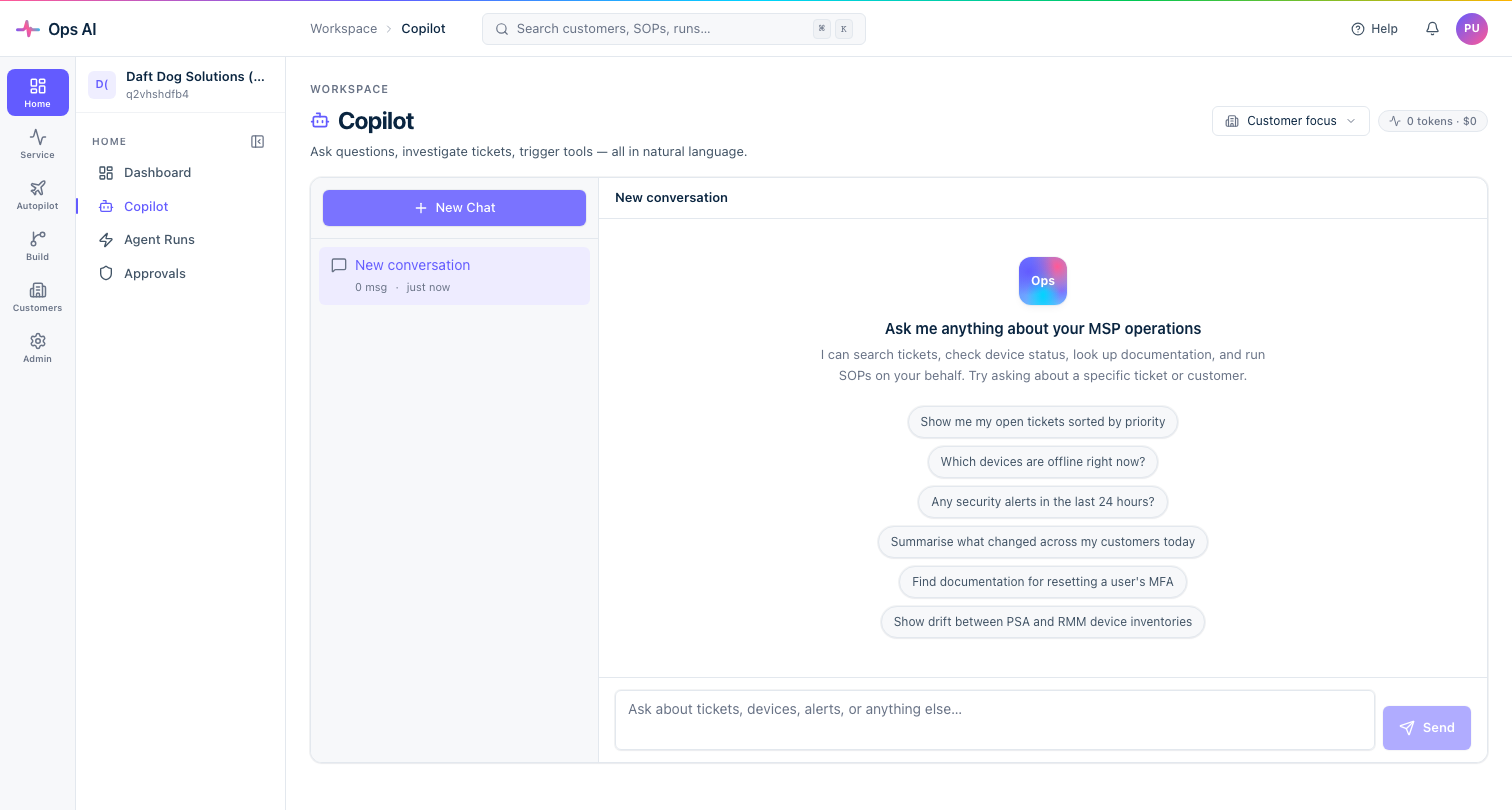
All Graph reads via Copilot are read-only. Write operations (creating users, disabling accounts, assigning licenses) route through the approval system and are gated separately.
What you can ask
Security / Conditional Access
Reads the customer's Conditional Access policies via the Policy.Read.All scope (requires the Security Reader or Global Reader GDAP role).
Examples:
- "List all Conditional Access policies for Gender ID and flag any that are disabled or in report-only mode."
- "Does Acme Corp have a CA policy enforcing MFA for all users?"
- "Show me the named locations configured in Arcadia Care's tenant."
Intune device management
Reads device inventory and compliance state via DeviceManagementApps.Read.All and DeviceManagementManagedDevices.Read.All (requires Intune Administrator or Global Reader).
Examples:
- "How many devices does Beanstalk Telecom have enrolled in Intune, and how many are non-compliant?"
- "List all macOS devices in Gender ID's Intune and their compliance status."
- "Show me devices in Acme Corp that haven't checked in for more than 14 days."
Microsoft Teams
Reads Teams and channels via Team.ReadBasic.All (requires Teams Administrator or Global Reader).
Examples:
- "What Teams does Arcadia Care have with external guests?"
- "List all Teams in Gender ID that have more than 50 members."
Licenses and subscriptions
Reads license assignments via Directory.Read.All (requires Global Reader or License Administrator).
Examples:
- "How many Microsoft 365 Business Premium licenses does Acme Corp have, and how many are assigned?"
- "Find all unlicensed users in Beanstalk Telecom."
- "Which users in Gender ID are on E1 licenses and should probably be upgraded to E3?"
Directory roles
Reads current role assignments via RoleManagement.Read.Directory (requires Global Reader).
Examples:
- "Who are the Global Administrators in Acme Corp's tenant?"
- "Does Gender ID have any users with the Privileged Role Administrator role other than the break-glass account?"
Entra groups and members
Reads security and Microsoft 365 groups via GroupMember.Read.All (requires Directory.Read.All scope, Global Reader role).
Examples:
- "List all security groups in Arcadia Care's tenant and their member counts."
- "Is
jane.smith@acme.co.uka member of the VPN Users group?"
Exchange / mailbox
Reads mailbox settings via MailboxSettings.Read (requires Exchange Administrator or Global Reader).
Examples:
- "Does
ceo@gender-id.co.ukhave an out-of-office set?" - "List users in Acme Corp whose mailboxes have a forwarding rule to an external address."
- "Show me the mailbox size and quota for the top 5 users in Beanstalk Telecom."
Tenants
Reads basic tenant details via Organization.Read.All.
Examples:
- "What is the M365 tenant domain for Gender ID?"
- "Show me the verified domains registered on Acme Corp's Entra tenant."
Secure Score and security posture
Every customer with an Active GDAP relationship and completed Graph consent shows a Security posture panel in their detail drawer:
- Secure Score — percentage (e.g. 46%) and absolute score (e.g. 124/273). This is Microsoft's composite security recommendation score for the tenant.
- Open Defender alerts — count of active Microsoft Defender alerts.
- Risky users — count of users flagged by Microsoft Entra Identity Protection.
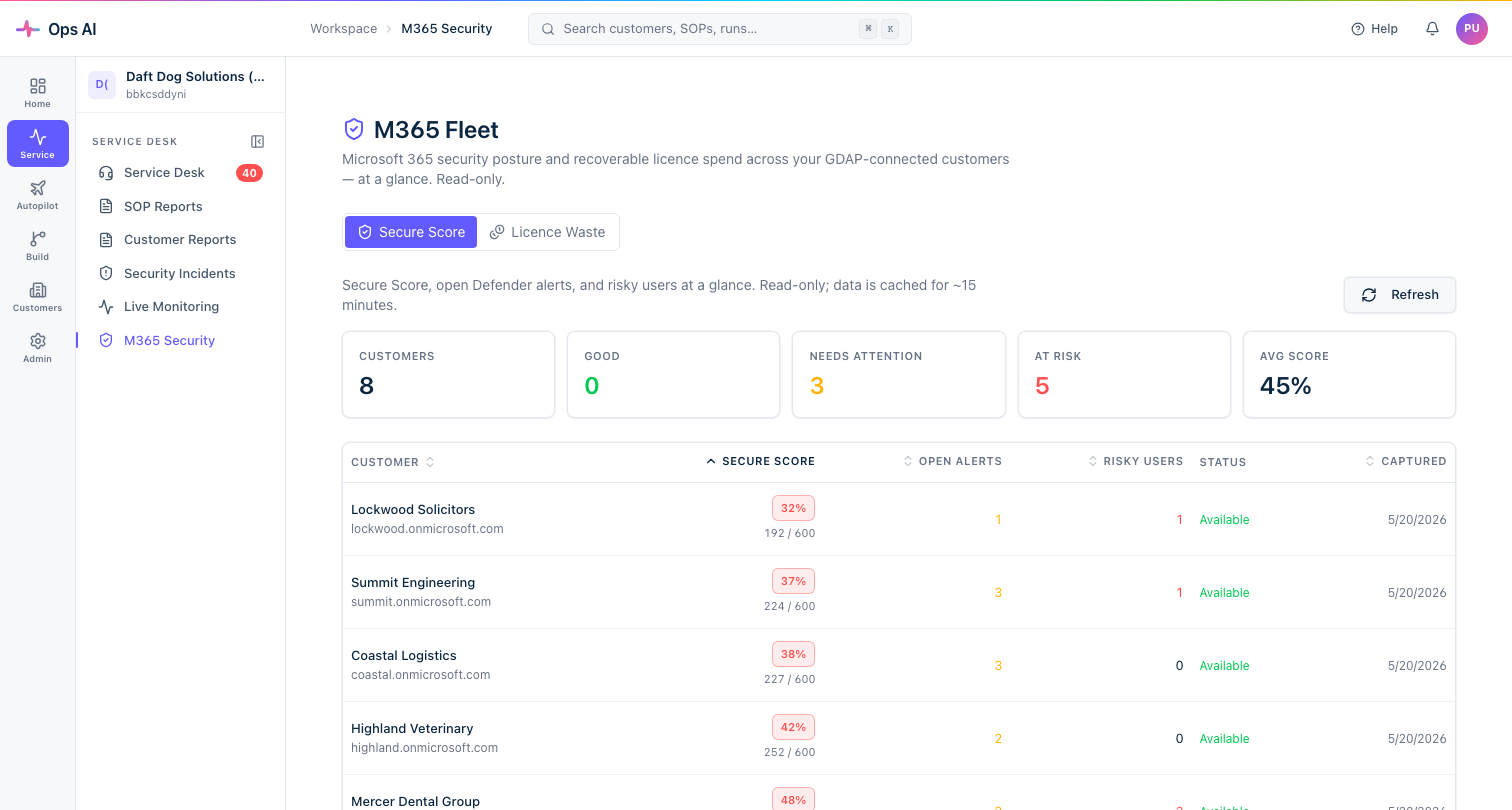
The M365 Security page (/app/m365-security) gives a cross-tenant view of all your customers' Secure Scores in one dashboard — useful for prioritising which tenants need security attention.
You can also query Secure Score via Copilot:
- "What is the Secure Score for Gender ID and what are the top 3 improvement actions?"
- "Which of my customers has the lowest Secure Score?"
Prerequisites for each capability
| Capability | Required GDAP role | Required Graph scope |
|---|---|---|
| Conditional Access | Security Reader or Global Reader | Policy.Read.All |
| Intune devices | Intune Administrator or Global Reader | DeviceManagementManagedDevices.Read.All |
| Teams | Teams Administrator or Global Reader | Team.ReadBasic.All |
| Licenses | License Administrator or Global Reader | Directory.Read.All |
| Directory roles | Global Reader | RoleManagement.Read.Directory |
| Entra groups | Global Reader | GroupMember.Read.All |
| Exchange mailboxes | Exchange Administrator or Global Reader | MailboxSettings.Read |
| Secure Score | Security Reader or Global Reader | SecurityEvents.Read.All |
If Copilot says a tool is unavailable or returns an error about missing permissions, the most likely causes are:
- Re-consent needed — a scope was added after the customer last authorised Graph access. Click Authorize Graph access from the customer's Manage menu to get a new consent URL.
- GDAP role missing — the customer's consented role set does not include the required role. Edit the GDAP Profile to add it and re-apply (the customer will need to re-consent if the role wasn't in the original requested set).
- CA policy blocking the service principal — ask the customer admin to add an exclusion for the Ops AI Entra app in their Conditional Access policy.
Tips for Copilot Graph queries
- Set a Customer focus before asking a tenant-specific question. It saves naming the customer in every message.
- Be specific about what data you want returned —
"list with UPNs and last sign-in dates"gets you something useful;"show me users"may return a summary. - Chain questions in one thread — after asking for a list of non-compliant devices, follow up with
"create an Autotask ticket for each of those"and Copilot will use the previous answer as context. - Cross-customer queries work —
"which of my customers has CA policies not enforcing MFA?"runs across all customers you have Graph consent for and aggregates the results.